
Building an Arcade Game in 5 Minutes with AI
Overcoming Design Limits with Implementation Plans
The Hurdle: AI Coding’s Biggest Problem is ‘Design’
This weekend, I took my son to the local arcade. Watching him play simple timing games to win tickets, a thought hit me: “A timing game is incredibly easy to build. If I make a digital version for him to practice on, he could master his timing reflexes!”
As soon as we got home, I gave Antigravity (my AI coding assistant) a single prompt explaining the basic rules of “Pop the Lock.” The logic worked immediately. However, the design was a different story.
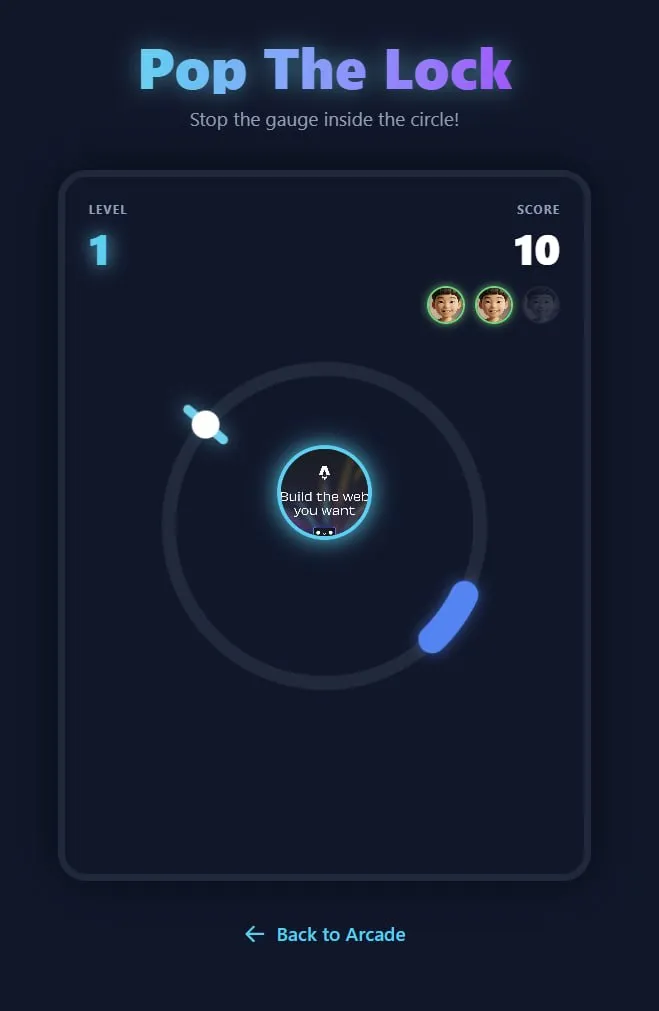
The output was rough, filled with placeholder images, and looked nothing like what I had in mind. Here lies the biggest hurdle in building apps with AI: Design is incredibly hard to express in words. It’s easy to describe functional logic, but describing visual aesthetics precisely is tough. Worse yet, sometimes you don’t even know what design you want until you actually see it.
The Solution: The Commander’s Implementation Plan
So, how did I solve this problem? I realized I needed to stop treating the AI as a code generator and start treating it as a subordinate staff officer.
- “Do not code yet.” Instead of asking for code, I commanded it to create an
Implementation Planbased on my feedback. - Provide References. I randomly listed my thoughts on necessary security features and, most importantly, provided visual references for the design vibe (e.g., “Dark Neon Arcade theme”).
- The Red Pen Review. The AI returned with a plausible plan. I reviewed it thoroughly, added feedback, and told it to bring a revised plan. It felt exactly like being back in the military, marking up a subordinate’s report with a red pen and sending it back for revisions.
[Cross-Check] Outsourcing the Review to Another AI
When I received the second draft of the Implementation Plan from the AI, I still felt like I was missing some crucial details that I didn’t know how to explain. So, I took the plan and ran over to a Gemini chat window. I asked, “Do you know the game ‘Pop the Lock’? Explain everything you know about it.”
Thankfully, Gemini provided a detailed breakdown and pointed out the very things I was missing: sound effects, the specific angles at which the target ball should appear, and how to scale speed and difficulty by level. I explained my situation to Gemini, handed over the current plan, and asked it to write a more refined prompt to give back to Antigravity.
Gemini generated a perfectly polished prompt. I handed this straight back to Antigravity, and the resulting game was vastly more complete.
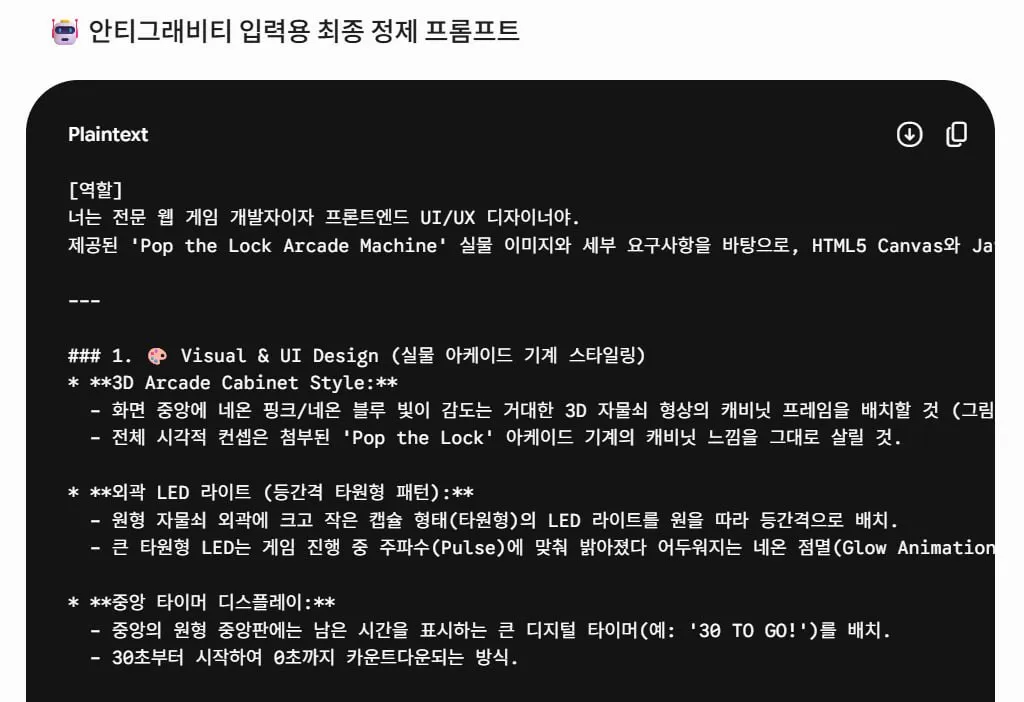
This brings us to the second lesson: Outsource the review process itself to another AI. A product that has been cross-checked by multiple AIs (including myself as the human in the loop) will inevitably result in a much higher level of polish.
The Execution: Approve, Commit, and Deploy
Once the Implementation Plan was perfected and approved, I gave the green light to execute. The AI built the game exactly as planned.
Before deploying, I made sure to commit the changes to Git to save the version. (I will explain in a future post why version control is crucial for rollbacks and how we integrated it into our Global Rules).
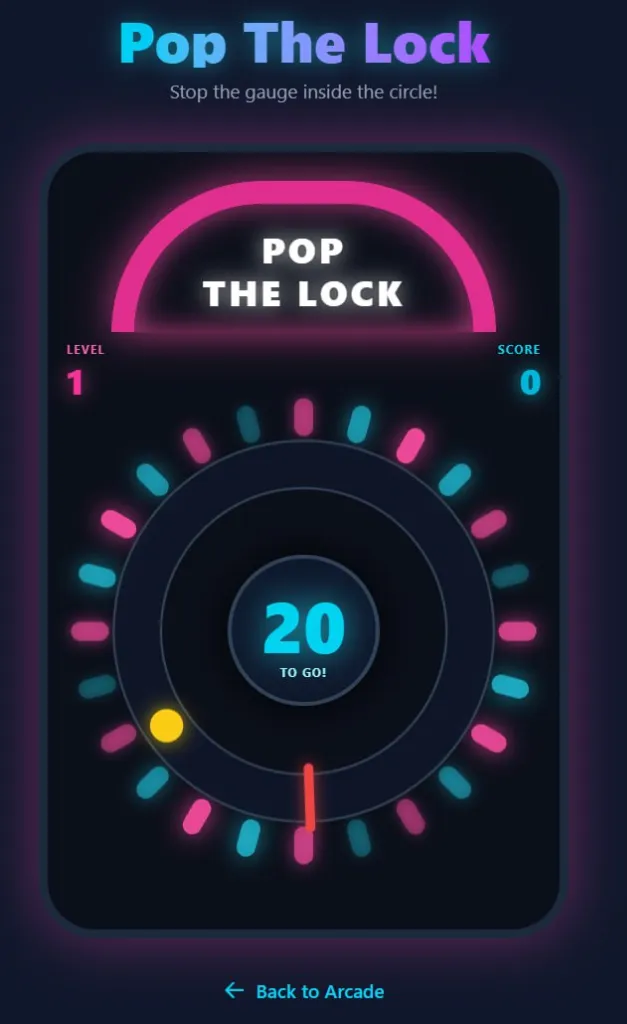
This military-style planning and version control workflow resulted in a beautifully polished final product:
Test Your Timing!
By controlling the AI with a structured plan rather than blind prompts, we built a fully functional and visually appealing “Online Arcade” hub in no time.
I highly recommend trying this “Plan-First” workflow when you build your next mini-game with AI. But before that, test out your own timing reflexes!
👉 Play VibeDad Arcade: Pop the Lock Here
[문제] AI 코딩의 진짜 허들은 코드가 아니라 ’디자인’이다
주말에 아들과 함께 오락실(Arcade)에 다녀왔습니다. 정확한 타이밍을 맞춰 티켓을 얻는 게임들을 보며 문득 이런 생각이 들었습니다. “이걸 내가 직접 디지털 게임으로 만들어서 아들에게 연습시키면, 다음엔 더 많은 티켓을 딸 수 있지 않을까?”
집에 오자마자 안티그래비티(AI 코딩 어시스턴트)에게 “Pop the Lock”의 핵심 룰을 설명하며 첫 명령을 내렸습니다. 기능은 금방 구현되었지만, 디자인은 참담했습니다.
제가 머릿속으로 상상했던 모습과는 완전히 달랐죠. 이것이 바로 AI로 앱을 만들 때 마주하는 가장 큰 허들입니다. 기능은 어떻게든 말로 설명이 되지만, 머릿속의 시각적 디자인을 말로 풀어내는 것은 정말 어렵습니다. 게다가 나 자신조차 어떤 디자인을 원하는지 직접 보기 전까지는 명확히 알 수 없는 경우가 많습니다.
[해법] 코딩하기 전에 ’기획서’부터 가져오게 하라
그렇다면 저는 이 문제를 어떻게 해결했을까요? AI를 단순한 코딩 자판기가 아니라, 저의 든든한 참모진(부하)으로 대하기로 했습니다.
- “코딩하지 말고 기획서부터 써와.” AI에게 즉시 코드를 짜지 말고, 내 피드백을 바탕으로
Implementation Plan (구현 기획서)을 먼저 작성하라고 지시했습니다. - 레퍼런스 투척. 머릿속에 맴도는 디자인 느낌(다크 네온 아케이드)이나 레퍼런스 자료, 그리고 필요한 보안 사항들을 두서없이 나열해서 던져주었습니다.
- 빨간펜 첨삭. AI가 이 정보들을 바탕으로 그럴싸한 기획서를 가져오면, 저는 꼼꼼히 검토하고 피드백을 주어 다시 기획서를 수정해 오라고 시켰습니다. 마치 군대 시절, 부하들이 가져온 보고서를 빨간펜으로 첨삭해서 다시 돌려보내던 것과 완벽히 같은 느낌이었습니다.
[검토] 또 다른 AI에게 ’교차 검증(Cross-Check)’을 아웃소싱하다
AI가 가져온 2번째 기획안을 확인한 저는 뭔가 제가 미처 설명하지 못한 빈틈이 있다는 느낌을 받았습니다. 그래서 그 기획안을 들고 곧바로 Gemini 채팅창으로 달려가 물었습니다. “혹시 Pop the Lock이라는 게임 알아? 아는 대로 전부 설명해 봐.”
다행히 Gemini는 게임의 메커니즘을 아주 상세히 분석해 주었고, 제가 놓치고 있던 핵심 디테일(타격 효과음, 공이 생성되는 각도 로직, 레벨별 속도 조절 방식 등)을 짚어주었습니다. 저는 제 상황을 설명한 뒤, 안티그래비티에게 전달할 프롬프트를 Gemini에게 대신 보완해 달라고 요청했습니다.
Gemini가 완벽하게 다듬어준 기획 프롬프트를 그대로 안티그래비티에게 전달하자, 훨씬 더 완성도 높은 게임이 탄생했습니다.
여기서 얻은 두 번째 교훈은 바로 **‘검토 과정 자체를 또 다른 AI에게 아웃소싱하라’**는 것입니다. 저를 포함해 여러 AI의 교차 검증을 거친 결과물은 확실히 차원이 다른 완성도를 보여주었습니다.
[실행] 승인, 깃헙 커밋, 그리고 결과물
기획서가 제가 원하는 수준까지 완성되면 그제서야 “실행”을 승인했습니다.
그리고 배포 전, 변경된 버전을 안전하게 저장하기 위해 깃헙(Git)에 커밋을 진행했습니다. (버전 관리가 왜 롤백에 필수적인지, 그리고 이를 어떻게 글로벌 룰로 강제하는지에 대해서는 다음 글에서 자세히 설명하겠습니다.)
이러한 기획서 통제(Plan-First) 워크플로우를 거쳐 탄생한 최종 결과물이 바로 아래의 모습입니다.
직접 테스트해 보세요!
단순한 프롬프트 지시가 아니라 ’기획서 검토’라는 절차를 거침으로써, 우리는 단숨에 조악한 프로토타입을 프리미엄 UI를 갖춘 미니게임으로 탈바꿈시켰습니다.
여러분도 AI로 무언가를 만들 때 이 방식을 꼭 활용해 보시길 강력히 추천합니다. 그 전에, 먼저 여러분의 타이밍 감각이 얼마나 좋은지 테스트해 보세요!